
Turn Photo Viewers into
Trip Planners
Your readers see a stunning photo and wonder "where is that?" Now they can click the location tag and explore it on a map. Turns inspiration into action.
No credit card required • 30 images free • Takes 2 minutes to setup
See Locograph in Action
Your travel photos are inspiring — but are they actionable?
Without Location Tags
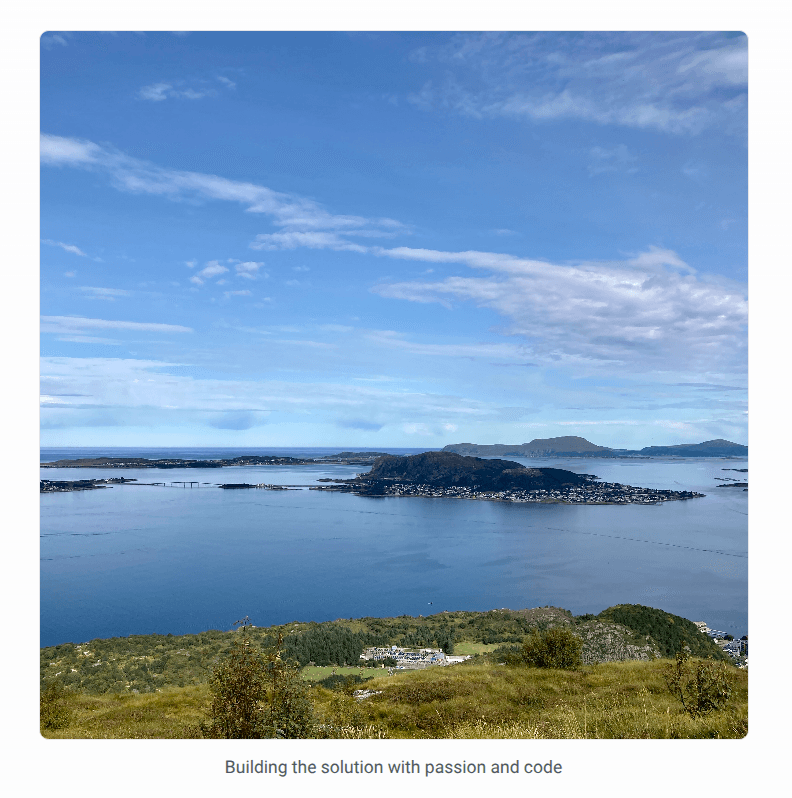
With Locograph

Location tags turn passive photo viewing into active trip planning. Click any tag to explore on an interactive map.
How It Works
Get location tags in three simple steps
Add the Widget
Copy one line of JavaScript into your blog. Works with any platform-WordPress, Ghost, custom sites.
Automatic Geotagging
We automatically scan your images, extract GPS coordinates, and geotag them with accurate place names.
Beautiful Display
Location tags appear below your photos. Readers can click to explore on an interactive map.
Privacy-First Design
Your photos stay on your server. We only extract GPS coordinates.
No Image Storage
We process photos on-the-fly and discard them immediately. Your images never leave your server permanently.
Minimal Data
Only GPS coordinates and place names are kept. No personal information.
Your Control
You decide which photos to process and what accuracy to show. Delete your data anytime.
Unlock Powerful Insights with Pro
Take your location tagging to the next level with advanced analytics, SEO, and customization
Analytics Dashboard
Track every location tag view and map click. Understand which photos engage your audience and see geographic distribution of your content.
- Real-time engagement tracking
- Geographic heatmaps
- Popular locations report
SEO Boost
Automatic JSON-LD structured data helps search engines understand your location content and boost rankings.
- Rich snippets in search results
- Structured location data markup
- Improved content discoverability
Full Customization
Make it yours. Remove branding, customize badge colors and position, and choose from 5 map styles to match your site.
- Remove Locograph branding
- 5 map styles (Standard, Topo, Watercolor, Light, Dark)
- Custom badge colors and positioning
No credit card required • Cancel anytime
Everything you need
Powerful features to enhance your blog with minimal effort
Increase Engagement
Location tags transform passive photo viewers into active explorers. Readers click to discover where photos were taken.
Make Content Actionable
Turn inspiration into trip planning. Readers can explore locations on interactive maps and save places for future travel.
Works Everywhere
WordPress, Ghost, Webflow, or any blog platform. One line of code, no lock-in, no setup hassle.
Automatic or Manual
GPS photos tagged automatically. Photos without GPS? Add locations in seconds from the dashboard.
Privacy Control
You decide location accuracy: exact, city-level, region, or country. Full control over what readers see.
SEO Boost
Location-rich content ranks better. Automatic JSON-LD structured data helps search engines understand your locations.
Simple, transparent pricing
Choose the plan that fits your needs. Start free, upgrade anytime.
- Core Features
- 30 active location-tagged images
- 50 images processed per week
- 1 site
- Automatic GPS EXIF extraction
- Interactive maps (OpenStreetMap)
- Basic usage dashboard
- ⚠️Locograph branding on maps
- Pro Features
- Analytics dashboard
- SEO features (JSON-LD)
- Remove branding
- 5 map styles
- Widget customization
Pro
For active bloggers & creators
- Core Features
- 300 active images
- 125 images processed per week
- 1 site
- All Free features included
- Pro Features
- Remove Locograph branding
- Full analytics dashboard
- SEO features (JSON-LD)
- 5 map styles
- Widget customization
- Priority email support (24h)
Business
For professional sites & agencies
- Core Features
- 3,000 active images
- 2,500 images processed per week
- 10 sites
- All Pro features included
- Priority support (12h response)
Frequently Asked Questions
Have questions? We've got answers.
What if my images have no GPS data?
No problem! Tag them manually - it's fast and easy.
How do you save photos?
We never save photos, only the references. All we have in the database is the link from your website. You can check it out yourself in the dev console and the dashboard.
How do the privacy levels work?
If you want to display the location of an image to the public, you can decide how accurate it is: exact, city level, region, or country.
I changed the location/visibility/privacy level of my image but it's still showing the old one on my site
Wait shortly - the data is cached and gets invalidated. After 1-3 minutes the changes should be applied to your site too.
When I delete an image from the dashboard it reappears
The dashboard is a mirror of your page - you can delete it there, but if the script registers the image from your site on the next load, it will be mirrored again in the dashboard. The deletion is more of a cleanup of references if you e.g. delete an image truly from your site and want to cleanup the reference to it.
What happens if I exceed my image limit?
You'll receive a notification when you reach 80% of your quota. If you exceed your limit, existing tags continue to work, but new images won't be processed until you upgrade or your weekly quota resets.
How do the processing and display quotas work?
You can process 50 images in the free plan per week. Processing refers to the action of extracting GPS data (or trying) which may not be present. Displaying refers to how many images you can have enabled in parallel.
Are there limits on how many images I can tag manually?
No, feel free to tag - we encourage this. But remember you can display only 30 at once.
What happens to the location data if I delete an image from the dashboard?
The location data is deleted then too, and has to be either added manually or extracted automatically.
What analytics data is collected?
The widget tracks anonymous tag_view, map_open, map_zoom, map_pan, and map_close events for all users regardless of plan. If the user is on the free plan, this data is not saved and discarded.
Can I cycle the displayed images?
Sure! If you want to have only new ones enabled, you can disable others for this.
What happens if I delete my account?
As a free user, everything gets deleted except the processing jobs you triggered (the processing jobs are holding the timestamps when they were created and the image_url which was processed). As a paid user, also the billing information and the site URL are kept for legal reasons.
Locograph not working on page
Although the widget was designed to be super defensive and working everywhere, some layouts are not supported. If this is the case for you, you can either just remove the script and not use Locograph, or adjust your layout. In the future, a per-image badge configuration is planned to mitigate those issues.
I have a feature request
Just use the feedback form from the dashboard. Happy to work on it!
I have a bug report
Submit the bug report with detailed information and steps to reproduce via the feedback form. The bug will be addressed as fast as possible.
Ready to make your content more discoverable?
Let readers explore the places you photograph. Start with 30 images free - no credit card required.